Corporate Event AV Production: Sound, Lighting & Visuals

Corporate Event AV Production: Sound, Lighting & Visuals

A corporate event can have strong content and experienced speakers, but technical problems can quickly affect the audience experience. A microphone that cuts out, a presentation that fails to display, or a missed lighting cue can interrupt the programme. Corporate event AV production brings audio, video, lighting, presentation systems and technical operations together into one coordinated setup. The aim is not simply to provide equipment, but to make sure the complete system is planned, tested and operated reliably throughout the event.
Corporate event AV production

What Is Corporate Event AV Production?

Corporate event AV production is the planning, integration and live operation of the audio, video, lighting and presentation systems required for a corporate event. Depending on the event, this can include microphones, speakers, mixing systems, LED displays, cameras, presentation switching, video playback, lighting, recording and streaming. The difference between AV equipment rental and AV production is the level of involvement. Equipment rental generally focuses on supplying hardware, while AV production covers technical planning, system design, integration, testing, rehearsal and event-day operation.


What Does Corporate Event AV Production Include?

The exact setup depends on the venue, audience and programme. Most corporate productions, however, are built around three main areas: audio, video and lighting.


Audio Production

Clear audio is essential for keynotes, panel discussions, presentations, Q&A sessions and announcements. Microphone selection depends on how speakers will present. Handheld microphones can work well for keynote speakers and audience interaction, while lapel or headset microphones allow presenters to move more freely. Panels may require several microphones that need to be managed throughout the discussion. Speaker placement also matters. Simply increasing volume does not guarantee good coverage. Room acoustics, seating layout and speaker positions can affect speech clarity because reflections and reverberation may make the sound harder to understand. During the event, the audio operator manages microphones, videos, music and other sources while monitoring levels as the programme changes.


Video Production

Video production covers presentations, videos, graphics, camera feeds and display systems. A corporate event may involve several laptops and other sources that need to be switched during the programme. Presentations should be checked for resolution, aspect ratio, animations, embedded videos and compatibility with the planned display system. LED displays may require video processing so that content is correctly formatted for the screen. Cameras can also be added for live speaker views, demonstrations, recording or streaming. The important point is that content and video systems need to be tested together rather than separately.


Event Lighting

Lighting supports speakers, presentations, product moments, awards and programme transitions. Different lighting states can be planned for different parts of the event. Speaker lighting should provide consistent illumination, while camera-friendly lighting becomes important when the event is recorded or streamed. Programmed lighting cues can also be coordinated with audio and video, helping transitions happen at the right moment.

How Do Audio, Video and Lighting Work Together?
How Do Audio, Video and Lighting Work Together

Corporate AV systems work best when they are treated as one production rather than separate equipment categories.


Understanding AV Signal Flow

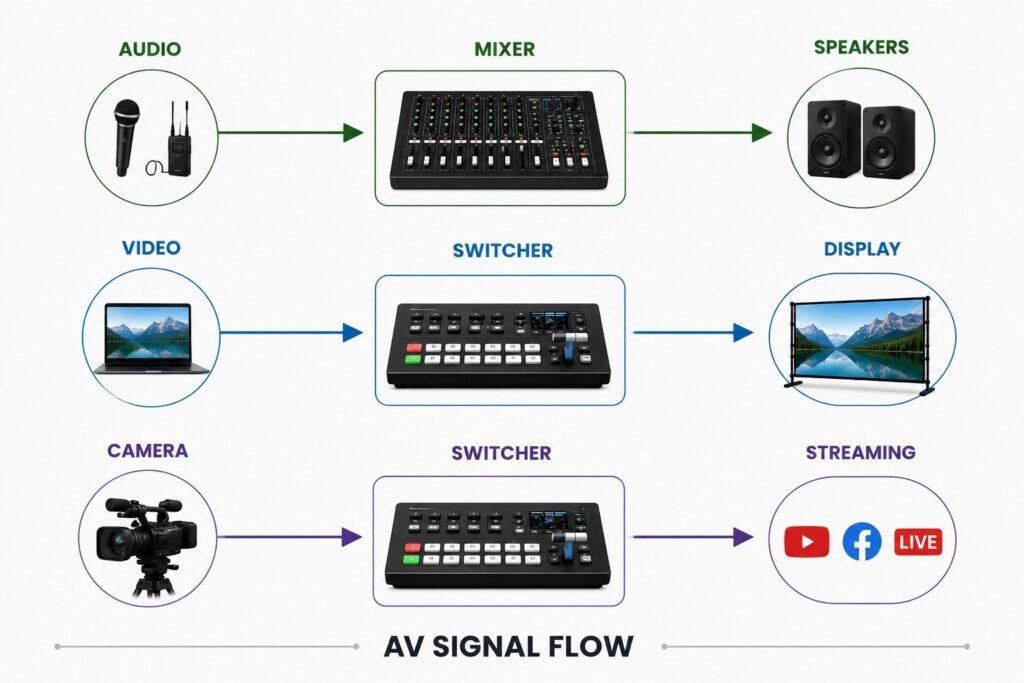
Every technical source follows a path from input to final output. Understanding that path helps the production team identify what needs to be connected, where problems could occur and which systems require backup.

Audio: Microphone → Mixer → Processing → Amplification → Speakers

Video: Laptop/Camera → Switcher → Processor → Display

Streaming: Camera/Programme Feed → Switcher → Encoder → Streaming Platform

A presentation, for example, may work correctly on a laptop but still fail to appear properly on the main LED screen because of a problem further along the signal path.


Practical AV observation: A common AV planning mistake is testing individual equipment without testing the complete signal path. A laptop may output correctly on its own while the final presentation still fails because of switching, processing or display-format issues. For critical sources, testing should therefore start at the original input and continue through to the final output.


Why Signal Flow Matters

A clear signal path makes troubleshooting easier. If a presentation is visible on a local monitor but not on the main display, the technical team can work through each stage to identify where the signal is being lost or changed. Signal-flow planning also helps identify critical components that may need backup support.

What Happens Inside an AV Control Room?
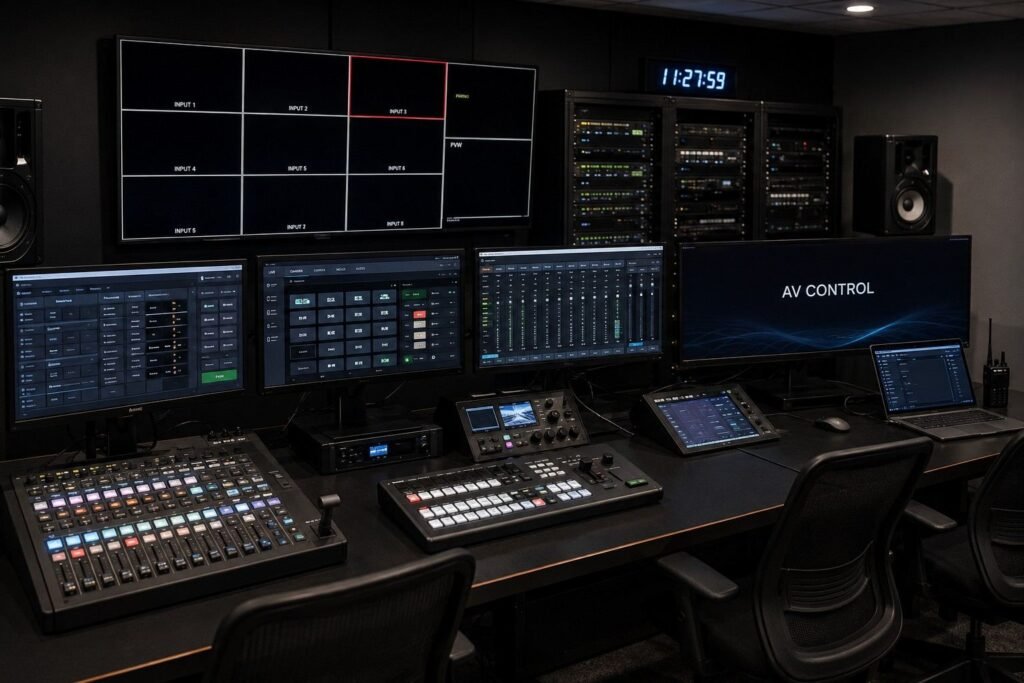
Corporate event audio visual setup

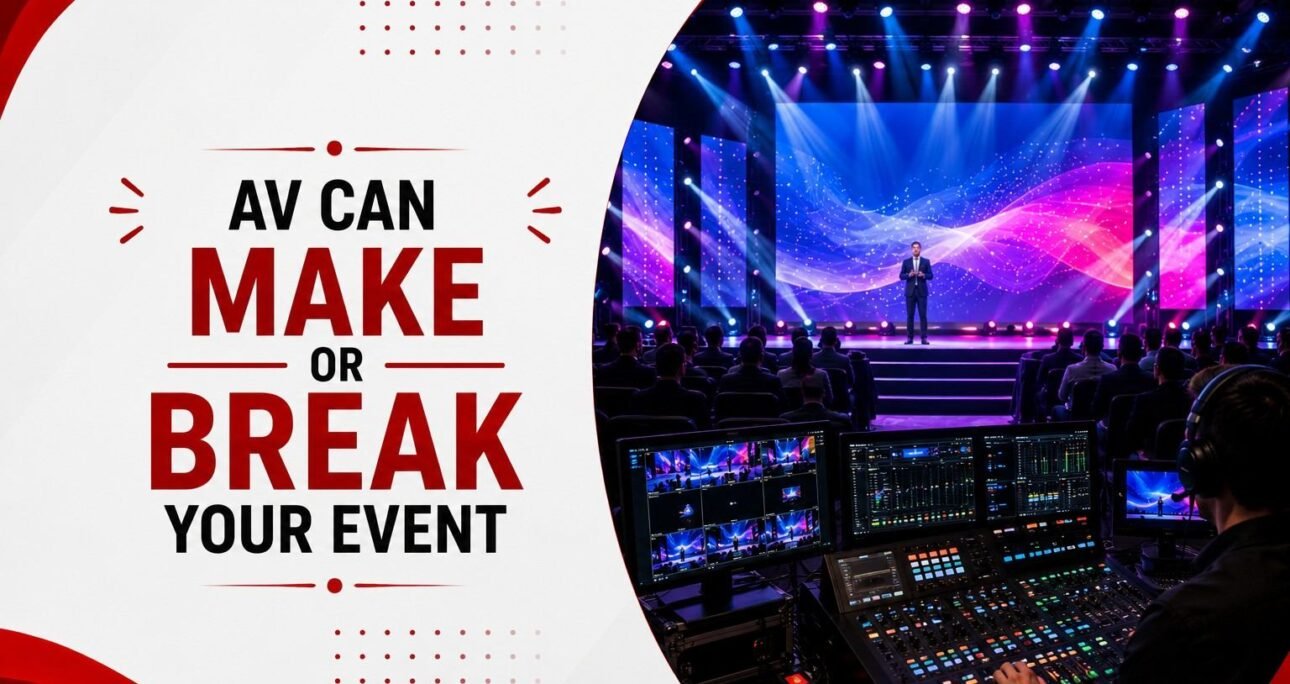
The audience sees the stage, screens and lighting, but much of the technical work happens from a control position. This is where operators monitor systems, manage cues and coordinate changes during the programme.


Audio Operator

The audio operator manages microphones, playback, music and other audio sources. They monitor levels and make adjustments as speakers and programme segments change.


Video Operator

The video operator manages presentations, videos, graphics and camera feeds. During a live session, they may switch between a presentation, speaker camera and pre-recorded content.


Lighting Operator

The lighting operator manages programmed lighting states and responds to cues during the show. Lighting changes need to remain coordinated with the programme and other technical actions.


Technical Director or Production Lead

Larger productions may have a technical director or production lead coordinating the different operators. This role helps keep the technical team aligned with the event schedule and upcoming cues.


Streaming or Recording Operator

Events that are streamed or recorded may require additional technical support. The operator monitors the programme feed, recording system and online output.

AV Requirements for Different Corporate Events

The technical requirements change according to the event format. A conference with multiple speakers has different needs from a product launch built around tightly timed video and lighting cues.


Conferences

Conferences generally depend on speech clarity, presentation switching and reliable content playback. Panel discussions may require several microphones, while larger conferences can also include cameras, recording and streaming.


Product Launches

Product launches often involve tightly timed sequences. Video playback, music, lighting, camera feeds and presentation content may need to change within seconds. Cue management and rehearsal become particularly important.


Annual Meets

Annual meets may combine leadership addresses, company films, presentations, recognition segments and entertainment. Multiple content sources and programme transitions need to be managed carefully.


Dealer Meets

Dealer meets can include business presentations, leadership speeches, awards and entertainment. The AV system needs to move smoothly between these formats.


Leadership Summits

Leadership summits often rely on keynote presentations, panel discussions and audience interaction. Clear microphones, reliable presentation switching and recording may be more important than complex visual effects.


Award Ceremonies

Award ceremonies require coordination of microphones, walk-up music, winner names, graphics and programme cues. Since each award can involve several technical actions, the sequence should be prepared and tested beforehand.

How to Plan Corporate Event AV Production

Good AV planning starts with the event programme rather than an equipment list. Once the programme, venue and technical requirements are clear, the production team can build a system around what the event actually needs.


1. Review the Event Brief

Understand the event format, objectives, audience, programme and key moments. Identify presentations, panels, videos, live cameras, streaming and entertainment requirements.


2. Assess the Venue

Review power, acoustics, connectivity, access, installation conditions and venue restrictions. These factors determine what can realistically be installed and operated.


3. Map the Programme

Break the programme into individual segments. Identify every presentation, microphone change, video, music cue, camera feed and lighting transition.


4. Define the Technical Requirements

Determine the required audio, video, lighting, display, presentation, recording and streaming systems based on the programme.


5. Plan the System and Signal Flow

Map how important sources will travel from input to output. This is also the stage to identify critical equipment and potential backup requirements.


6. Assign the Technical Team

Determine which operators are required. Depending on the production, this may include audio, video, lighting, streaming and technical production personnel.


7. Test and Rehearse

Test the actual content and equipment, then run the important programme sequences. Technical rehearsal should cover transitions rather than simply checking whether equipment switches on.


8. Prepare Backups

Identify critical equipment, files and technical sources that could affect the programme if they fail. Prepare practical alternatives before event day.

How Much Does Corporate Event AV Production Cost?

There is no fixed price for corporate event AV production. The final cost depends on the event format, venue, audience size, programme complexity and level of technical support required.


Equipment and Display Requirements

Microphones, speakers, audio consoles, LED screens, projectors, cameras, switchers, processors and lighting systems can all affect the production cost. A simple presentation setup will require a very different system from a multi-screen event with live cameras and complex cues.


Technical Crew

Crew requirements are another major cost factor. An event may need audio, video and lighting operators, technicians, a technical director, show caller or streaming operator depending on its complexity.


Setup and Rehearsal

Installation, testing, technical rehearsal and dismantling require time and crew. Events with complicated stage structures, large LED systems or extensive technical integration may require longer setup periods.


Streaming and Recording

Streaming and recording add requirements for cameras, switching, encoding, connectivity and technical monitoring. These should be considered during the initial planning rather than added at the last minute.


Backup and Contingency Requirements

Critical systems may require backup equipment or duplicate content sources. The level of redundancy should match the importance and complexity of the event.


Why AV Quotations Can Vary

Two AV quotations may look similar at first but include very different levels of equipment, crew, testing, rehearsal and event-day support. When comparing proposals, check the complete scope rather than comparing only the equipment list or headline price.


Corporate Event AV Checklist

Use this checklist to review the technical setup before moving into final production.

Stage

What to Check

Event planning

Programme, audience size, venue and technical requirements

Venue assessment

Power, acoustics, access, connectivity and restrictions

Audio

Microphones, speakers, mixer and room coverage

Video

Laptops, cameras, switchers, processors and displays

Content

Presentations, videos, fonts, animations, aspect ratio and embedded media

Lighting

Speaker lighting, programme states and cues

Streaming

Cameras, programme feed, encoder and connectivity

Crew

Audio, video, lighting and technical production roles

Signal flow

Critical source-to-output connections

Testing

Individual equipment and complete signal paths

Rehearsal

Full programme transitions and technical cues

Backup

Critical equipment, files and playback sources

Event day

Operator communication, monitoring and troubleshooting

How Corporate Event AV Production Handles Live Cues

A corporate event rarely moves from one programme segment to another without technical changes. A keynote may be followed by a video, a panel may lead into a Q&A, or an award announcement may require audio, lighting and visual changes at the same time.


Building a Cue Sheet

The technical team reviews the programme and identifies every moment that requires an AV action. This can include opening a microphone, switching presentations, starting a video, playing music, changing a camera feed or triggering a lighting state. These actions are organised into a cue sheet that gives operators a shared reference.


Managing Changes During the Event

Live programmes do not always follow the script exactly. A speaker may run longer, a presentation may change, or a video may need to be skipped. The technical team needs to adjust without losing track of the programme. Clear communication between operators helps the show continue without unnecessary disruption.


Calling the Show

For larger productions, a production lead or show caller may coordinate the technical team. Rather than each operator working independently, everyone follows the same sequence of cues.


Rehearsing the Cues

Cue sheets need to be tested. During rehearsal, operators can check whether presentations open correctly, microphones are ready, lighting changes happen at the right time and video sources are available.

What Should Be Tested Before the Event?
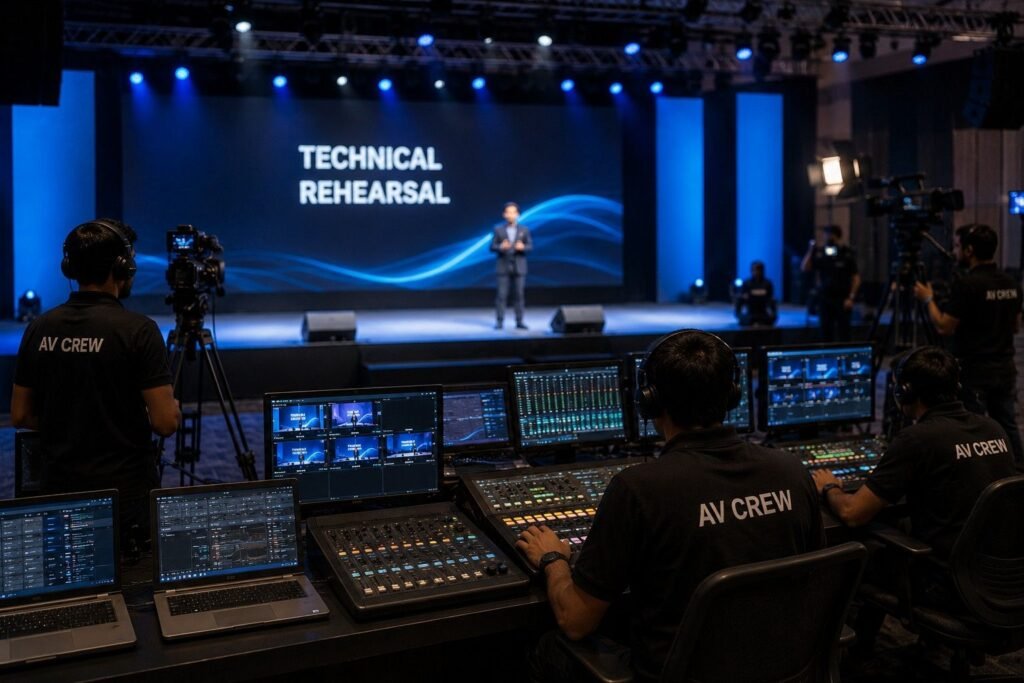
Corporate AV production setup

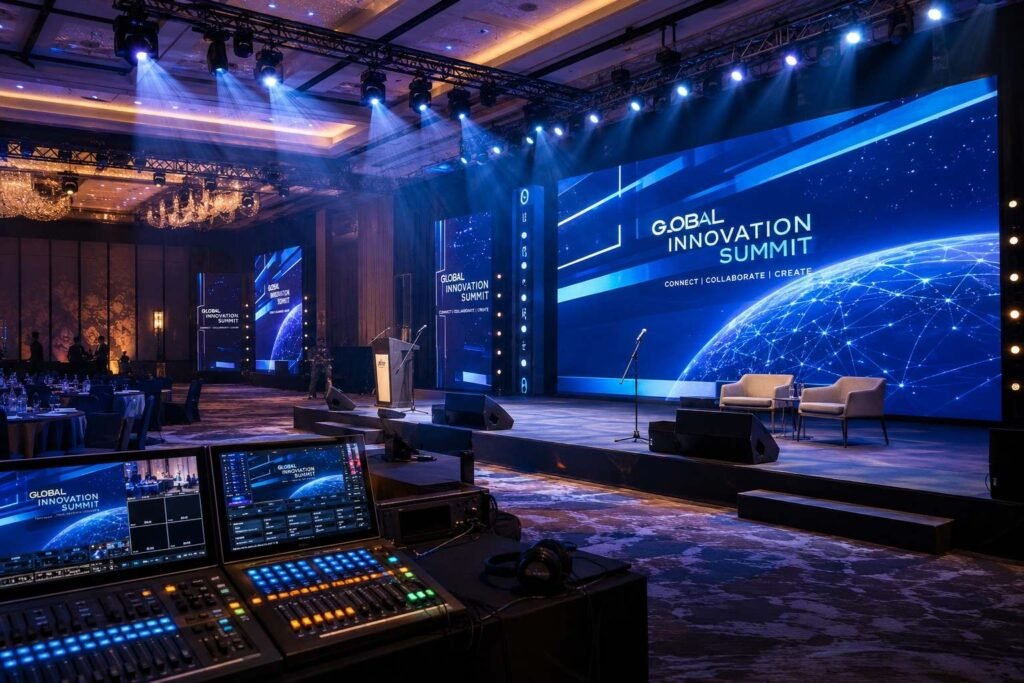
Technical testing should go beyond switching on equipment. The actual content, connections and programme transitions need to be checked in the conditions in which they will be used.


Microphones and Audio

Test every microphone, including backups where required. Check speech clarity, volume levels, switching between speakers and any music or video playback that uses the same audio system.


Presentations and Videos

Open every presentation and play every video using the actual playback system. Check fonts, animations, embedded media, aspect ratios and audio.

Cameras and Video Feeds

Test camera positions, framing and live feeds. Confirm that each required source reaches the video switcher and can be selected when needed.


LED and Display Output

Check the final display for scaling, cropping, resolution and formatting problems. A source that looks correct on a laptop may not look correct on the event display.


Lighting Cues

Run through programmed lighting states and transitions. Confirm that cues happen at the correct points in the programme and do not interfere with presentations or camera feeds.


Operator Communication

Test how operators communicate during the show. Everyone should know who is calling cues and how changes or unexpected situations will be communicated.


Streaming and Recording

If the event is streamed or recorded, test the complete output chain. Confirm that the correct programme feed is being captured and that connectivity and recording systems are working.


Backup Systems

Check critical backup equipment and content rather than simply keeping them nearby. Important presentation files and playback sources should be ready for immediate use if required.


Full Programme Run-Through

The most useful test is a rehearsal that follows the actual event sequence. This can reveal problems that individual equipment checks may miss, such as incorrect source selection, delayed cues or a transition that does not work as expected.

Common Corporate Event AV Production Failures and How to Prevent Them

Even reliable equipment can fail when it is poorly integrated, inadequately tested or unsupported by a clear contingency plan.


1. Microphone Failure

A microphone may have a dead battery, a connection issue or interference.

How to prevent it: Test every microphone, keep suitable backups ready and confirm which microphone each speaker will use.


2. Audio Feedback or Poor Speech Clarity

Feedback or inconsistent levels can make a presentation difficult to follow.

How to prevent it: Check microphone and speaker positions, test the system under actual room conditions and have an audio operator monitor levels throughout the programme.


3. Presentation or Playback Failure

A video may not play or an embedded file may fail on the event system.

How to prevent it: Collect important content in advance and test it using the actual playback and display setup. Keep accessible backup copies of critical files.

4. Incorrect Video Signal or Display Format

A source may appear cropped, stretched or fail to display because its format does not match the production system.

How to prevent it: Confirm source and display requirements and test the complete video signal path.


5. Missed Technical Cue

A microphone may not be opened, a video may start late, or a lighting change may happen at the wrong time.

How to prevent it: Use a clear cue sheet, assign responsibilities and conduct a technical rehearsal.


6. No Suitable Backup

A failed device becomes a major problem when there is no practical alternative.

How to prevent it: Identify critical systems and prepare appropriate backups for important microphones, content, playback sources and other essential equipment.


The goal is not to assume that nothing will go wrong. Good AV production identifies where failures could affect the programme and prepares the team to respond quickly.

How to Choose a Corporate Event AV Production Company

Choosing an AV production company should involve more than comparing equipment lists or selecting the lowest quotation. The right partner should understand the programme, build an appropriate technical system and have the people and processes required for event-day execution.


Check Technical Expertise

Look for a team that understands audio, video and lighting as connected production systems. Ask how they approach system design, signal flow, technical coordination and troubleshooting.


Review Relevant Experience

Experience with similar events can be useful. A conference with multiple panels has different requirements from a product launch with complex video cues, while a dealer meet may combine presentations, awards and entertainment.


Understand Their Planning Process

Ask whether the company carries out venue assessments, reviews technical requirements, prepares production plans and conducts testing before the event.


Ask About Testing and Rehearsals

A reliable AV partner should have a defined approach to testing presentations, videos, microphones, cameras, displays and technical cues. Complex productions should include a proper technical rehearsal.


Evaluate the Technical Team

Find out who will actually operate the systems during the event. Depending on the production, this could include audio engineers, video operators, lighting operators, technicians and a technical director or production lead.


Check Backup Planning

Ask what happens if a critical microphone, playback source or technical component fails. Backup arrangements should be planned according to the event’s scale and importance.


Compare the Complete Scope

Check what each proposal includes for equipment, crew, transportation, installation, testing, rehearsal, event-day operation and dismantling.


A strong AV partner is not necessarily the company with the largest equipment inventory. It is the one that can understand the technical requirements, build a suitable system, operate it professionally and respond when the live programme changes.

Conclusion

Professional corporate event AV production is about more than putting microphones, lights and screens into a venue. The value comes from how these systems are selected, connected, tested and operated throughout the programme. Clear audio helps speakers communicate without interruption. Reliable video keeps presentations, cameras and content moving smoothly. Lighting supports speakers, visuals and programme transitions, while technical operators coordinate these elements behind the scenes.


The strongest productions begin with the event programme and build the technical system around its requirements. Venue assessment, signal-flow planning, content testing, technical rehearsal and appropriate backup measures all contribute to a more reliable event. When sound, lighting, video and technical operations are treated as one production system, the technology supports the event instead of becoming a distraction. That is ultimately what effective corporate event AV production should achieve: a technically controlled environment in which the speakers, content and audience experience remain the focus.

FAQs

1. What is corporate event AV production?

Corporate event AV production is the planning, integration and operation of audio, video, lighting and presentation systems for a corporate event. It covers equipment selection, technical setup, testing, rehearsal, live cue management and event-day operation.

It can include microphones, speakers, audio mixing, lighting, LED displays, projection, presentation systems, cameras, video switching, recording and streaming. The exact setup depends on the event format, venue and programme.

Common requirements include microphones, speakers, mixers, LED screens or projectors, lighting systems, presentation equipment and cameras. Events with livestreaming or recording may require additional video and streaming equipment.

Start with the event programme, venue and audience requirements. Identify audio, video, lighting, presentation, recording and streaming needs, then map the technical system and assign operators. The complete setup should be tested and rehearsed before the event.

There is no fixed cost. Audience size, venue, LED or projection requirements, lighting, cameras, streaming, technical crew, setup time, rehearsal and backup requirements can all affect the final production cost.

There is no standard number. Microphone requirements depend on the number of speakers, panellists, and audience interactions. Speaker requirements depend on the venue, audience distribution and required coverage.

Test microphones, audio, presentations, videos, LED displays, cameras, video switching, lighting cues, streaming and recording systems. Critical sources should also be tested from input through to final output.

They are coordinated through technical cues and the event programme. For example, a speaker’s microphone may open while the lighting changes, a presentation appears on screen, and a camera feed becomes live.

Planning should begin once the event format, venue and programme are reasonably defined. Larger productions need more preparation for technical design, content testing, equipment coordination, operator assignments and rehearsal.